Browser nodes
The running application on the canvas next to the agents building it — and drivable by them.
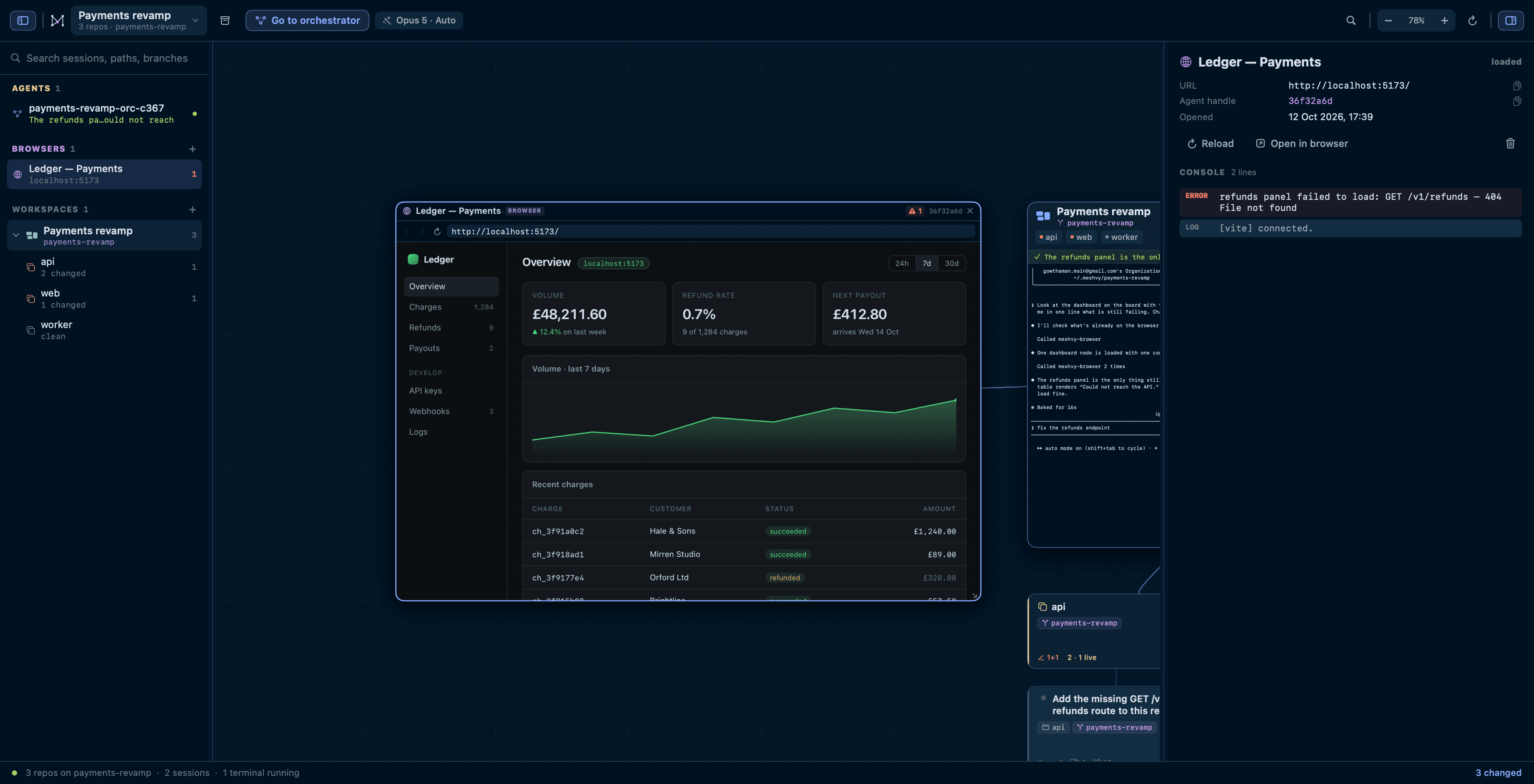
A workspace gives you the repositories and the agents. What those agents are building is a running application, and a browser node puts it on the canvas next to them rather than in another app.
Opening one
⌘B, or right-click a repository and Open a browser here. Type localhost:3000 and watch your app next to the agent writing it. It keeps cookies between launches, so a dev server you have signed into stays signed in, and the node reopens where you left it.
Selecting the node puts the page’s console in the inspector, and the header carries a count of what it has thrown.
What an agent can do with it
The point is that an agent can drive the same page. Every session Meshvy starts is given a browser_* tool set over MCP, with no setup from you.
| Tool | What it does |
|---|---|
| browser_open | point a node at a URL, opening one if there is not one |
| browser_snapshot | the page's text, plus every control with a CSS selector |
| browser_click · browser_type | act on a selector the snapshot handed back |
| browser_console | what the page logged, and what it threw |
| browser_screenshot | a PNG it can read with the Read tool |
| browser_eval · browser_wait_for | run JavaScript · wait for text or an element |
| browser_list · browser_navigate · browser_reload · browser_back · browser_close | the rest of the node's controls |
Typing fires the input and change events a framework listens for, so React and Vue forms see it. Agents are told to check the console before claiming a web change works, and the errors a page throws come back attached to whatever action caused them.