The infinite canvas for orchestrating AI agents
Orchestrate AI agents across multiple repositories, each with its own worktree and terminal, all connected in one seamless workspace. Build, manage, and ship in parallel.
curl -fsSL https://raw.githubusercontent.com/gowth6m/meshvy/main/scripts/install.sh | bashmacOS 14 and later, Apple Silicon and Intel. You bring Claude Code.
the model
One branch. Every repo. One folder.
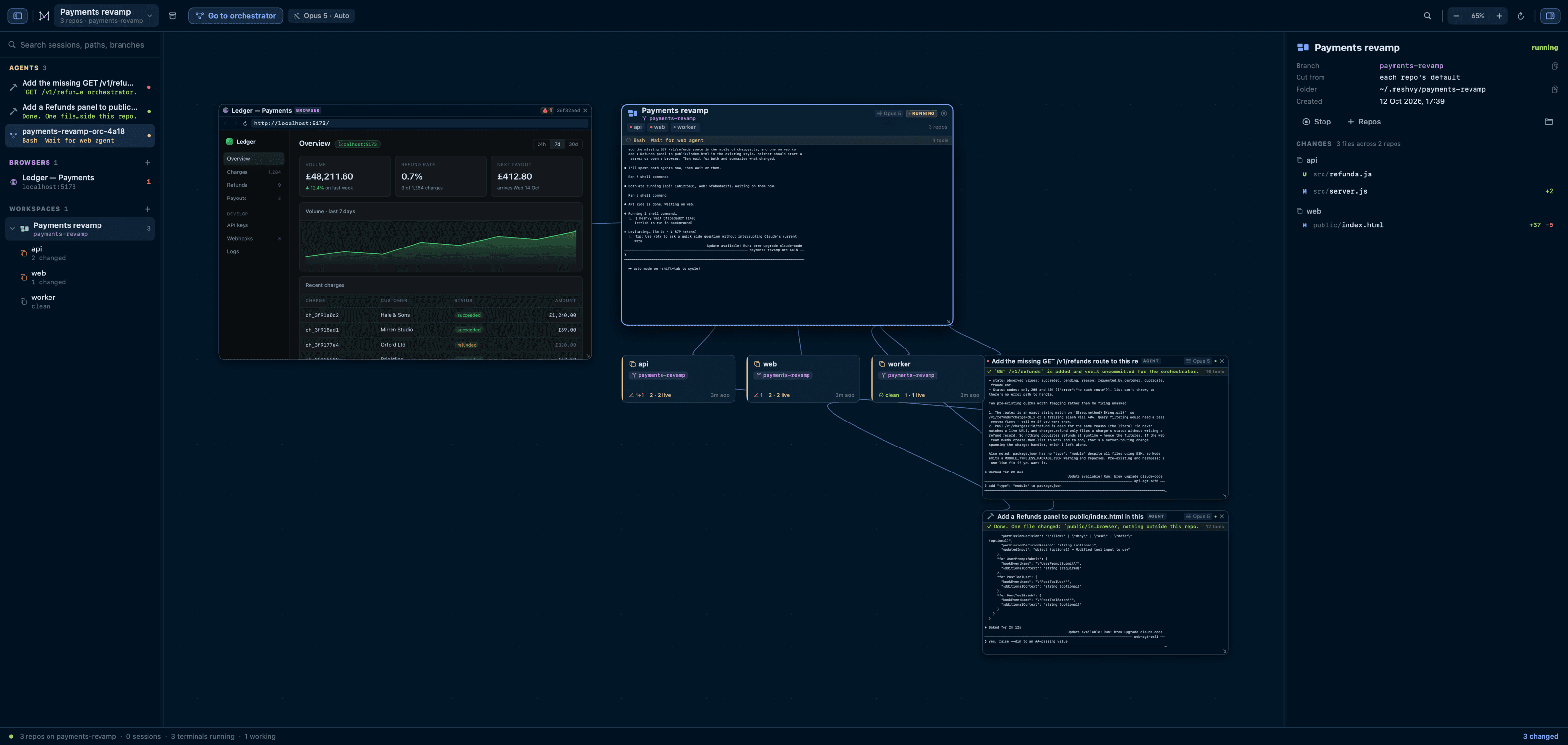
A feature that spans three services shouldn't mean three checkouts, three terminals and three places to lose track of. A workspace is all of them, cut once.
~/.meshvy/payments-revamp/
  api/    → repo “api” on payments-revamp
  web/    → repo “web” on payments-revamp
  worker/ → repo “worker” on payments-revamp
- It is one branch, not three
- Name the workspace, pick the repositories, choose the base branch to cut from. Meshvy cuts the same branch in each one. Another branch means another workspace.
- They are worktrees, not copies
- Every checkout is a real git worktree registered inside your own repository. Nothing is cloned, nothing is moved, and your existing checkout stays exactly where it is.
- Archiving touches nothing on disk
- Take a workspace off the board and the worktrees stay registered and the branch stays put. Deleting them is a separate thing, and it still asks.
working directory
~/.meshvy/payments-revamp/
api
payments-revamp
4 changed
web
payments-revamp
clean
worker
payments-revamp
1 changed
the workspace node, and an edge to every repo beneath it
delegation
Every delegated agent is a terminal you can type into.
When the orchestrator splits the work up, each teammate is a full Claude Code session with its own terminal node — one you can read, interrupt and answer. It delegates through a helper Meshvy puts on its PATH.
meshvy spawn <repo> "<task>"   # start an agent there; prints an agent id
meshvy wait <id>               # block until it finishes, print what it reported
meshvy send <id> "<message>"   # type a follow-up into its terminal
meshvy context <id>            # read what another agent has been doing
meshvy status                  # every agent on the board and its state
Claude’s own Agent tool is deliberately avoided for this.
Its sub-agents run inside the parent process, with no pid and no pty, so there is nothing a terminal can attach to — and nothing you can watch or steer. If one gets used anyway it still appears as a card, read from the parent’s transcript, so no work is invisible.
Status comes from the agent, not from its screen
Every session Meshvy starts is handed hooks that report what it is doing. A node carries a strip under its header with the tool in flight, the permission it is blocked on, or the first line of what it said when it finished. An agent that needs you is marked unread — on its header, in the sidebar, and on the Dock icon. ⌥⌘N walks you through whoever is waiting.
three kinds of terminal
The orchestrator
Runs at the workspace root, with every repository as a subdirectory beneath it.
A per-repo agent
Spawned by the orchestrator or by you, with one repository as its working directory.
A plain shell
No agent at all. Sometimes you just want a prompt in the right place.
on the canvas
The board reads your machine, not your memory.
Nothing on it is a thing you have to keep in sync. Cards come from the transcripts Claude Code already writes and from git itself, and they refresh as the files underneath them change.
Session cards
~/.claude/projects
Title, folder, branch, model, prompts sent, tool calls, context size at the last turn, and last activity.
Worktree cards
git worktree list
Branch, dirty and untracked counts, divergence from upstream, and the tip commit.
Browser nodes
⌘B
A real page on the canvas, keeping its cookies between launches and reopening where you left it.
changes
Every file the agents touched, across every repo.
Select a repository to see what it has touched against HEAD — modified, added, deleted, renamed, untracked — with per-file +− counts and a unified diff showing both line numbers.
Select the workspace node instead and you get the same list across every repository at once, which is the view you actually want after an orchestrator run.
the command palette
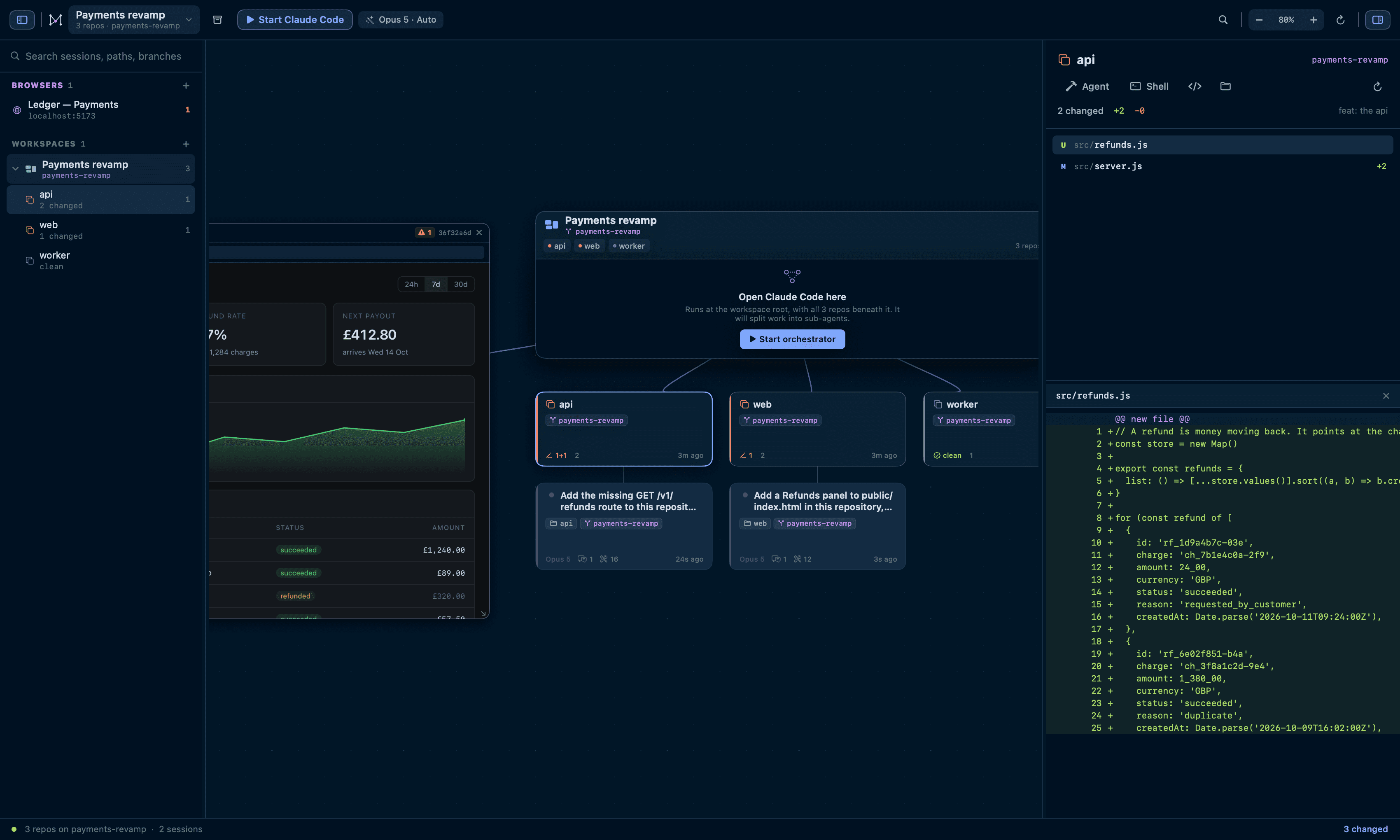
⌘K is one box, including the inside of your terminals.
Start an agent in any repository, switch workspace, jump to a node by name, branch or path, and change the permission mode — without leaving the keyboard.
With three characters or more it also searches inside your live terminals and shows the line it matched. That is the one thing the canvas itself cannot tell you.
the browser
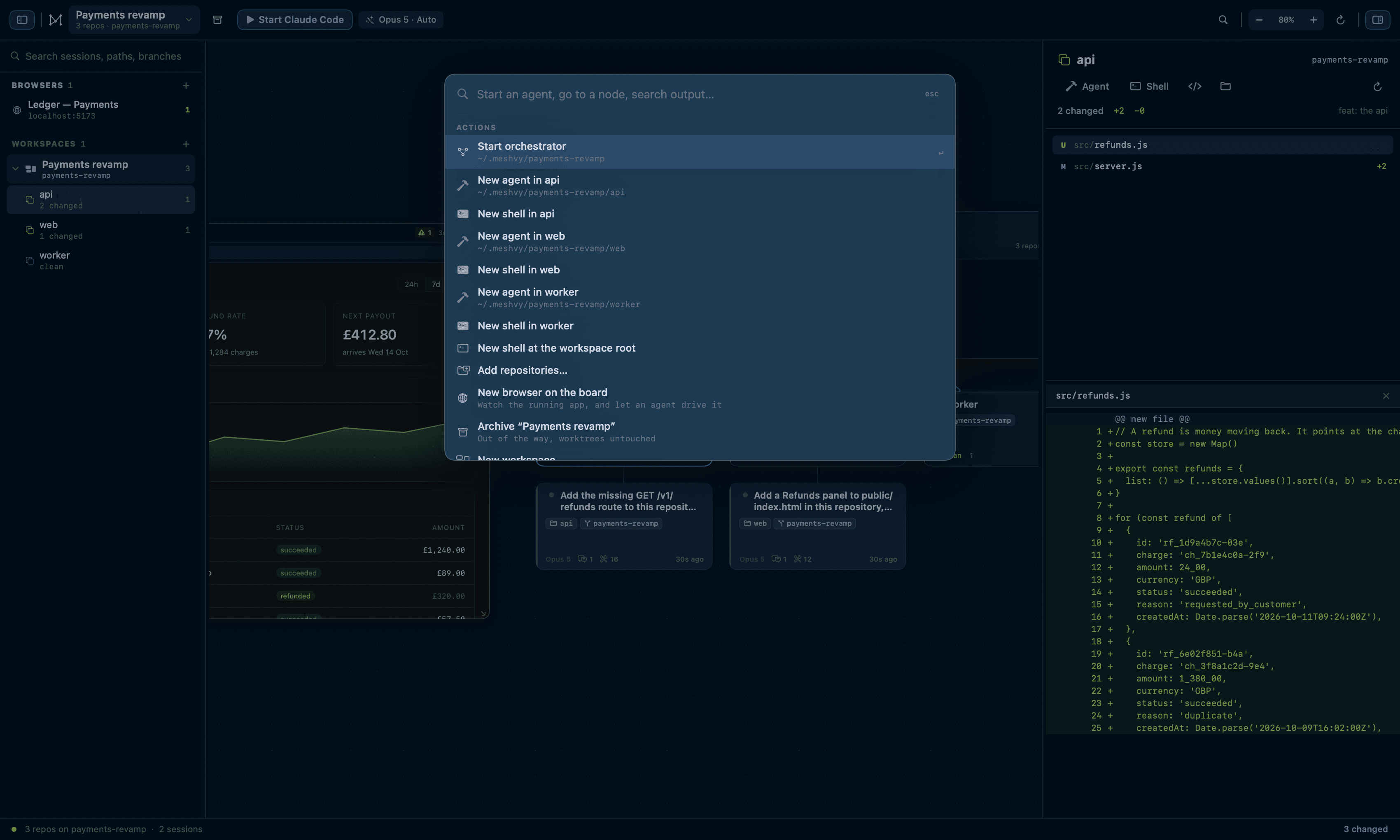
The app being built, next to the agent building it.
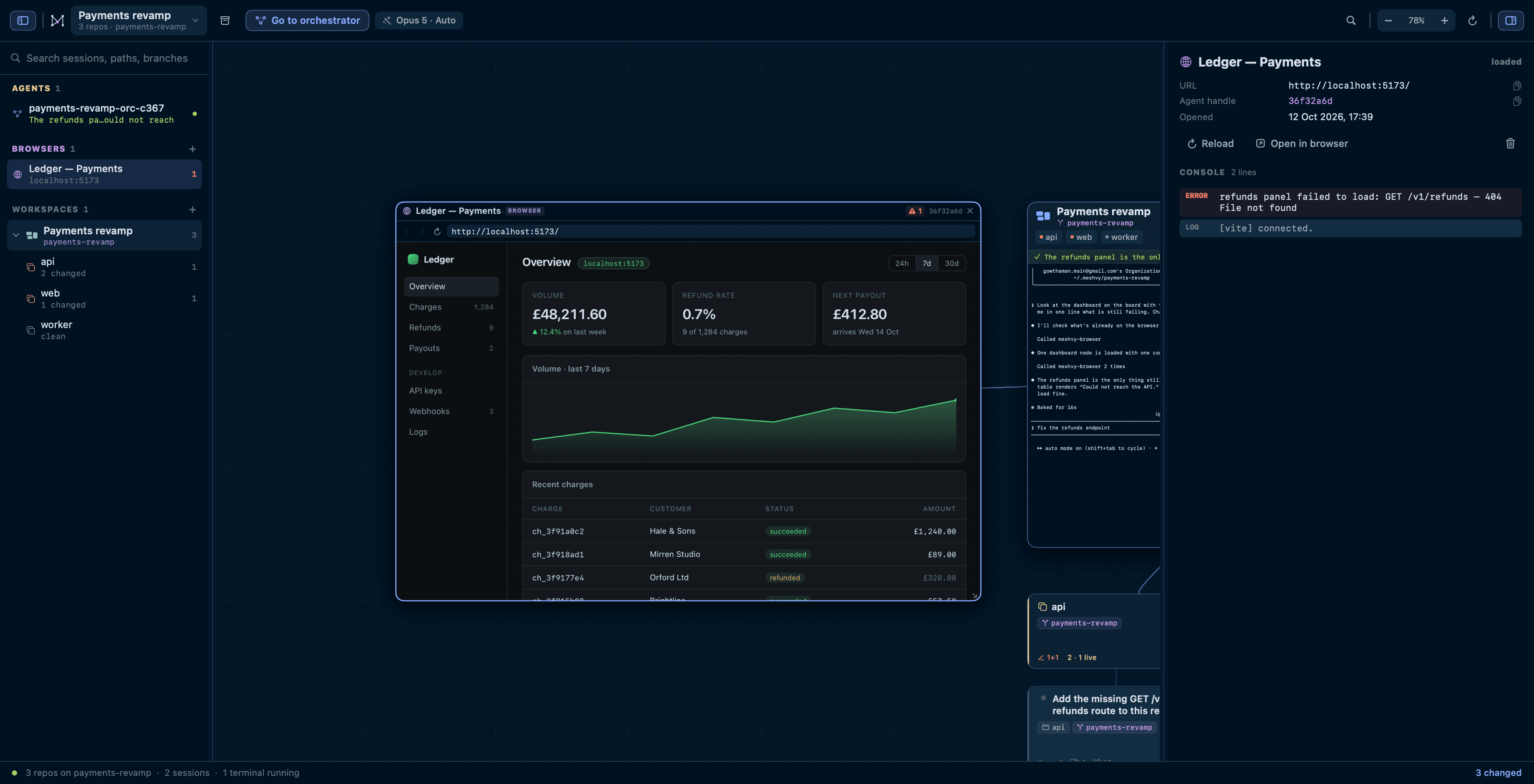
A workspace gives you the repositories and the agents. What they are building is a running application — so put it on the board too. Type localhost:3000 into a browser node and watch your app beside the session writing it.
The point is that an agent can drive the same page. Every session Meshvy starts gets a browser_* tool set over MCP, with no setup from you. Typing fires the events a framework listens for, so React and Vue forms see it, and agents are told to check the console before claiming a web change works.
browser_openpoint a node at a URL, opening one if there is not onebrowser_snapshotthe page's text, plus every control with a CSS selectorbrowser_click · browser_typeact on a selector the snapshot handed backbrowser_consolewhat the page logged, and what it threwbrowser_screenshota PNG it can read with the Read toolbrowser_eval · browser_wait_forrun JavaScript · wait for text or an element
Plus browser_list, browser_navigate, browser_reload, browser_back and browser_close. The engine is WebKit — the same one Safari uses — because that is what macOS can host inside a node on the canvas.
what meshvy does not do
It never pushes, merges, or rewrites history.
Your repositories are the one thing here that is genuinely irreplaceable. Meshvy treats them as read-only except where you have explicitly said otherwise.
- push
- merge
- rebase
- rewrite history
- commit for you
Two write commands, both of which you ask for
The only git that writes is worktree add and worktree remove. Everything else Meshvy does to a repository is reading.
Inspection never contends with an agent
Reads run with GIT_OPTIONAL_LOCKS=0, so looking at a tree cannot block the agent working in it — or be blocked by it.
Closing a workspace keeps its checkouts
Archiving takes it off the board and leaves every worktree registered and every branch where it is. Deleting is a separate choice.
The uninstaller refuses to lose work
It hands each worktree back with git worktree remove and prunes the origin — but leaves alone any checkout holding uncommitted or unpushed work, and tells you which and why.
using it
Reachable without the trackpad.
- ⌘KCommand palette
- ⇧⌘NNew workspace
- ⇧⌘OAdd repositories
- ⇧⌘TStart or focus the orchestrator
- ⌘TShell at the workspace root
- ⌘BNew browser
- ⌥⌘AArchive the workspace
- ⌥⌘NNext agent waiting on you
- ⌘FFind · ⇧⌘F frames the hits
- ⌘0Fit to content · ⌘1 actual size
- ⌥⌘SToggle the sidebar · ⌥⌘I the inspector
- ⌘/Every shortcut, in the app
Pan by dragging empty canvas or scrolling; zoom with ⌘-scroll or a pinch. Resting the pointer on a terminal or a browser for half a second hands it the wheel, so a scrollback stays reachable and a page can be scrolled — the zoom stays the canvas’s.
install
Meshvy starts empty. You add the repos.
One command: it downloads the latest release, checks it against the published SHA-256 and installs it to /Applications. Run it again to update.
curl -fsSL https://raw.githubusercontent.com/gowth6m/meshvy/main/scripts/install.sh | bash- macOS 14 or later
- Universal — one build for Apple Silicon and Intel.
- Claude Code, signed in
- Meshvy drives the claude CLI rather than the API, so install it first. Get Claude Code.
- Nothing else
- Releases are signed with a Developer ID and notarised by Apple, so the download opens without a warning.